TidyCards
Project planning for Mac
If you have any question, please email support@tidycards.com.
Manual backup
How do I backup my data manually?
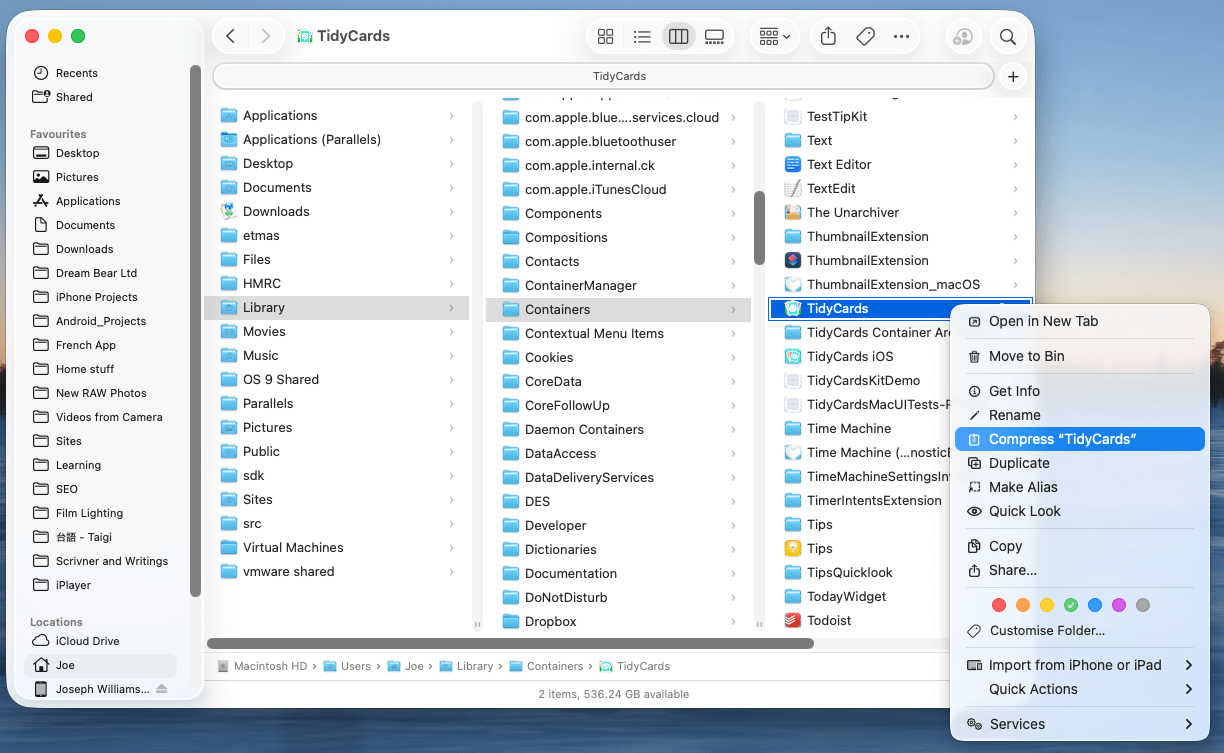
TidyCards stores its database in ~/Library/Containers/TidyCards. You can manually backup this folder by control-click on this folder and choose "Compress TidyCards".
If you don’t see your Library folder, do this
-
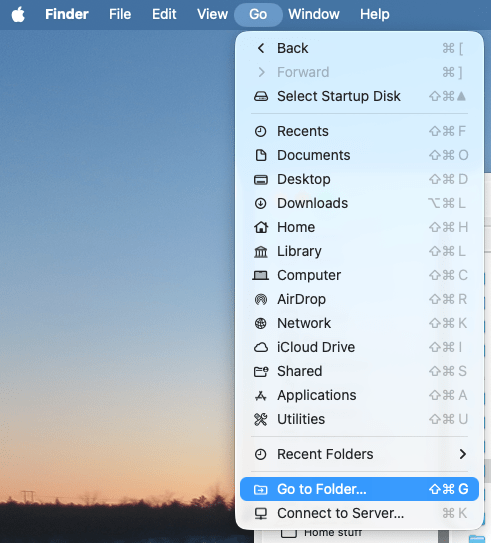
In the Finder, choose Go > Go to Folder…
-
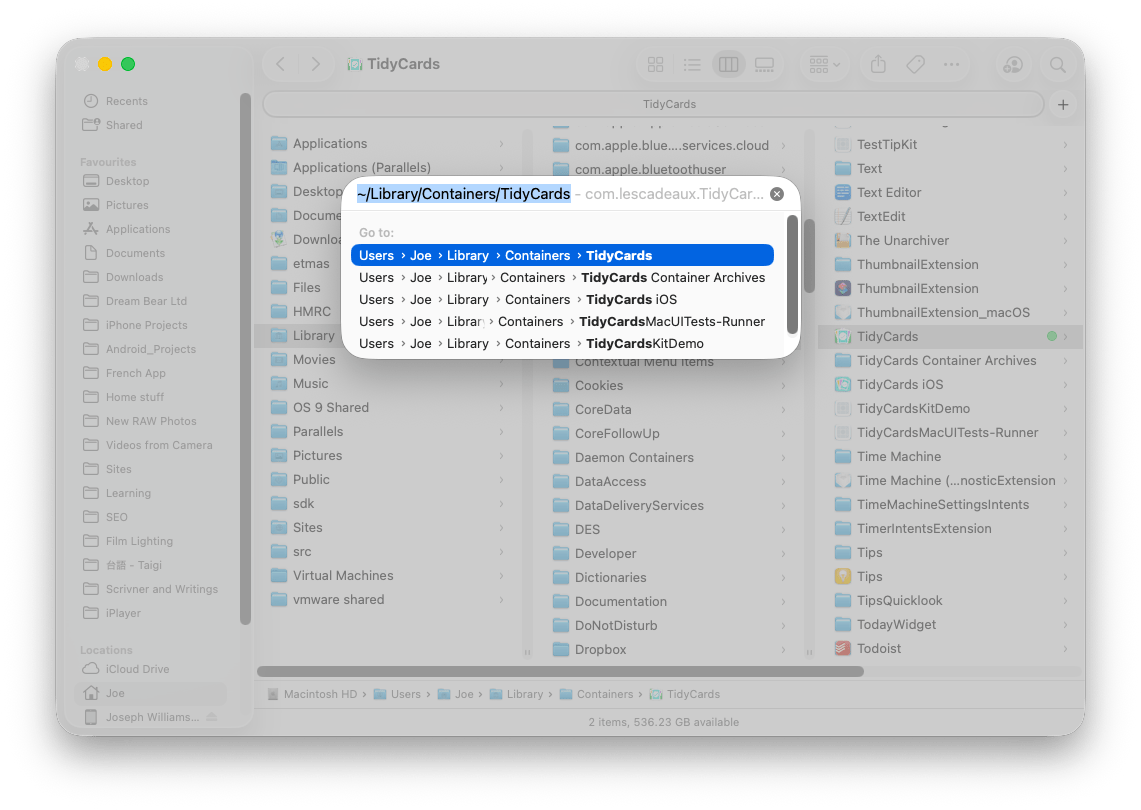
Type in "~/Library/Containers/TidyCards” on the popup window
-
Compress the folder “TidyCards” to make a copy